Privileged Access Management For MSPs Across Growing Client Portfolios
Managing credentials and administrator access across multiple client environments creates operational complexity for service providers. Privileged access management for MSPs helps technicians work through controlled access, client-specific policies and auditable sessions instead of relying on shared credentials or permanent permissions. A suitable platform should support repeatable workflows without compromising each customer’s security boundaries.
Keep each customer’s credentials, policies and users separated within independent managed environments.
Session Oversight
Control technician permissions and review privileged activity across customer infrastructure through detailed records.
How MSPs Can Manage Client Privileges Without Compromising Security Across Client Environments
MSP privileged access software helps technicians manage client systems without merging tenants or exposing credentials. Compare centralized controls, client policies, licensing, auditing, deployment and customer support requirements before choosing.
Manage Multiple Client Environments From One Console
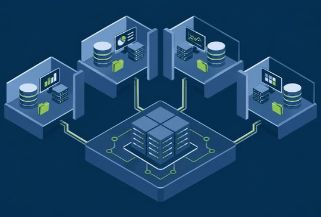
Create client environments with separate users, vaults, roles and policies. Technicians administer customers centrally while credentials and records remain isolated from tenants across client boundaries.
Restrict Technician Access By Client And Responsibility
Assign technician access by responsibility, approvals and customer requirements. Restrict sensitive credentials, use temporary privileges and review permissions when assignments or contracts change for clients.
Maintain Auditable Sessions Across Customer Infrastructure
Record privileged connections through session logs, recording and reports. Document access, timing and controls so customers review activity, support compliance and investigate incidents when necessary.
Scale Privileged Access Across Multiple Customer Environments Without Losing Client Separation
Privileged access management for MSPs must support multi tenant PAM solutions without treating customers as interchangeable. A central console simplifies onboarding, policy changes and license management, while tenant controls preserve separation. Evaluate role-based permissions, enforcement, identity integrations, session visibility and credential rotation. Confirm features per client, technician provisioning and customer oversight. The platform should support full-service management and shared administration.
Isolate Credentials Across Client Environments
Separate tenants keep client vaults, users, roles and policies distinct while technicians administer them centrally.
Isolate Credentials Across Client Environments
Separate tenants keep client vaults, users, roles and policies distinct while technicians administer them centrally.
Keep Managed Privileged Access Accountable Across Customer Environments
Managed privileged access should match technician duties while preserving client control. Define permissions, approvals and audit expectations before onboarding infrastructure and establishing customer-specific workflows consistently.
Limit access to assigned environments, approved tasks and support windows.
Provide evidence through session records, event logs and policy reviews.
Grant access only to approved client tasks.
Apply client-specific authentication and sharing policies consistently.
Review recordings and audit events during investigations.
Remove permissions after contract or role changes.
Choose Tools That Support Secure Client Administration
Compare MSP cybersecurity tools by client isolation, provisioning, reporting and licensing flexibility. Confirm included capabilities and scalability across managed companies. Privileged access management for MSPs should fit technician workflows and customer needs.
Centralized Tenant Administration Across Accounts
Manage separate customer environments independently from one central console.
Explore The Right Keeper Platform For Your MSP Requirements
Keeper Security offers KeeperMSP for service providers managing multiple customer organizations. The platform combines centralized administration with separate managed-company environments, client-level policies and license management. For privileged workflows, KeeperPAM for MSPs adds controlled infrastructure access, just-in-time permissions, session monitoring and automated credential rotation. Review product pages for tenant architecture, deployment requirements, integrations, reporting and licensing. Ask whether each client needs password management, privileged access or both, then map technician roles and customer oversight to controls. Privileged access management for MSPs can be evaluated through a demo that validates isolation, onboarding, support workflows and billing before services or security offerings are expanded.